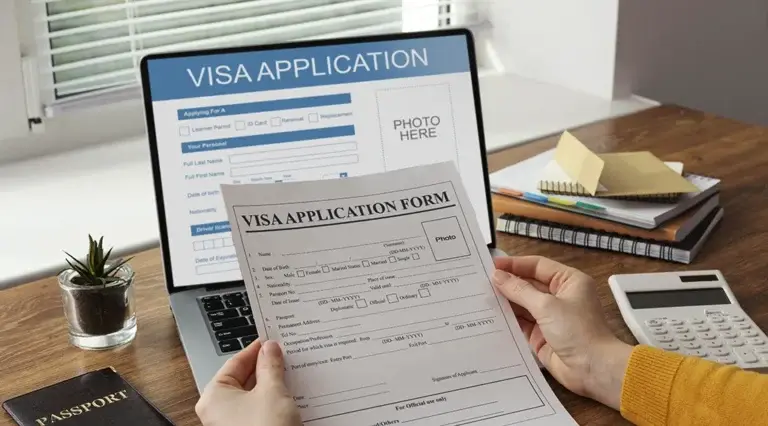
The DS-160 form is the first and one of the most important steps in applying for a US visa from Thailand. This online application collects your personal information, travel details, and background information. The visa process cannot proceed until the form is submitted.
You complete the form online through the U.S. Department of State's CEAC (Consular Electronic Application Center) website. Errors or rushed answers can lead to delays or problems during your interview. By completing the form carefully, you increase your chances of a smooth U.S. visa application process.
If you want to know how to fill out the DS-160 form for a US visa application in Thailand, you can read on for a step-by-step guide.
What is the DS-160?
The DS-160 form is the online application for a nonimmigrant visa to the United States. The DS-160 form must be submitted online before you can schedule your visa appointment.
This form applies to most short-term visa categories, including:
You fill out the form on the CEAC website of the U.S. Department of State. It will ask for your personal information, travel details, and background information. After submitting it, you will receive a confirmation page with a barcode. Print this page and bring it with you to your visa appointment.
How to fill out the DS-160 form in Thailand
Go to the U.S. Department of State's CEAC website and select "DS-160, Online Application for a Nonimmigrant Visa." If you are applying for a U.S. visa in Thailand, select the location of your scheduled interview: either the U.S. Embassy in Bangkok or the U.S. Consulate in Chiang Mai. Once the DS-160 form has loaded, an application ID will appear in the upper right corner. Keep this number safe; you will need it to continue your application if the session ends or if you return later to complete it.
After selecting your interview location, enter your personal information. The questions on the DS-160 form in Thailand are divided into sections relating to your identity, purpose of travel, and background. Have all required documents ready before you begin to avoid delays or errors in your US visa application in Thailand.
The form requests the following information:
Please complete each section in English. If a question does not apply to you, select "Does not apply" or enter "N/A". All information must exactly match your passport. Errors, particularly in your name or passport number, may affect your application process.
Submit your DS-160 form and upload a photo
You will be asked to upload a digital photo that complies with US visa regulations. If the upload fails, please bring a printed photo to your interview. The photo must meet the following criteria:
Please check your answers before submitting. No corrections are possible after submitting the form. If you later discover an error, you will have to fill out a new form. After submitting, you will receive a confirmation page with a barcode. Print this page and keep it with your other documents. You will need it for your interview.
What mistakes should you avoid when filling out the DS-160 form?
It's easy to make mistakes when filling out the DS-160 form, especially if you're trying to do it quickly. Even minor errors can lead to delays or problems later in the visa application process. Most difficulties arise from omitting details or providing information that doesn't match the official documents.
Here are common mistakes to watch out for:
How to save and retrieve the DS-160 form
The DS-160 form does not save automatically, so you must save your progress manually. You have 30 days to complete it online. If you do not complete it within this timeframe, your session will expire and you will have to start over.
You can also access your form as follows:
Always keep a copy of your application ID and confirmation page. You will need these to book your interview appointment and to access your form later if something goes wrong.
Do you need help filling out the DS-160 form in Thailand?
The DS-160 form must be completed accurately. All information must exactly match your passport, travel plans, and visa category. A single error can delay your appointment or even lead to your application being rejected.
With over 20 years of experience assisting clients with US visa applications, our bilingual visa specialists can help you:
We can guide you through the form step by step, review your answers, and help you avoid common mistakes. If you feel unsure or simply want to be on the safe side, support is often the better choice.
Contact us today to ensure everything goes smoothly the first time, allowing you to focus entirely on your travel plans from Thailand to the USA.
Frequently asked questions about the DS-160 form in Thailand
Does the DS-160 form have to be filled out in English?
Yes. You must use English characters for every answer, except when you are asked to give your full name in your native language.
Can the DS-160 form be edited after it has been submitted?
No. Once you have submitted the form, you cannot make any changes. If you need to correct something, please fill out a new form and bring both confirmation pages to your interview.
Does each applicant need a separate DS-160 form?
Yes. Every applicant, including children, must submit their own DS-160 form. Parents or guardians can complete it for minors.
How long does it take to fill out the DS-160 form?
On average, it takes between 60 and 90 minutes. You can save time by preparing your passport, travel plans, and US contact information in advance.
What happens if you lose your application ID?
You can access your form by answering your security question and providing your personal details. Otherwise, you may need to fill out a new form.
LIVE SUPPORT
CALL
CHAT
Chat with our employee
From Thailand: Monday – Friday 4:00 – 18:00 (Bangkok time)
Community
Comments 0
Start the conversation.